

Note
Go to the end to download the full example code.
Opening Data:#
This example demonstrates how to open and visualize data using the SpyDE application.
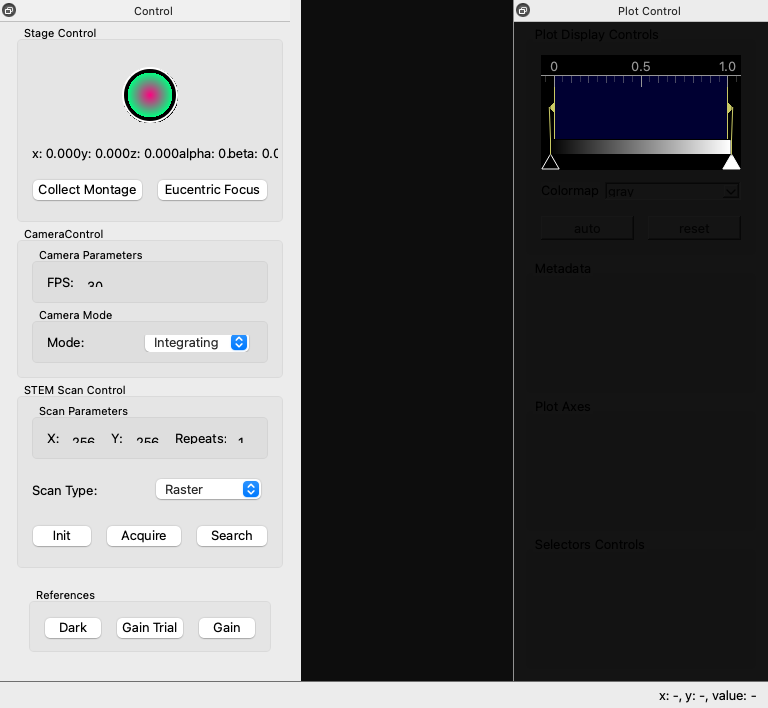
We will start by opening the SpyDE main window as shown below.
CPU Count: 3
[startup] Plot update worker thread start completed in 0.1 ms
[startup] Plot control dock creation completed in 16.7 ms
Starting Dask LocalCluster with 1 workers, 1 threads per worker
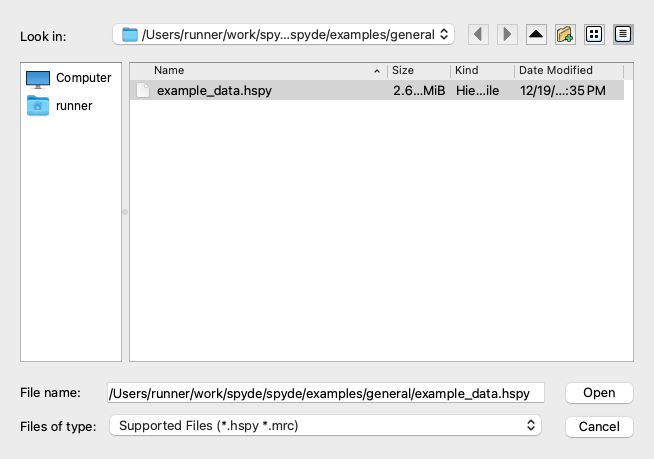
Here we have the SpyDE main window opened! Now, let’s open some example data. We can do this by navigating to the “File” menu and selecting “Open”. SpyDe can open all the file formats supported by HyperSpy. That being said, files which support distributed loading will work much better. If there is a specific file format that you would like to see supported, please open an issue on the RosettaSciIo GitHub page.
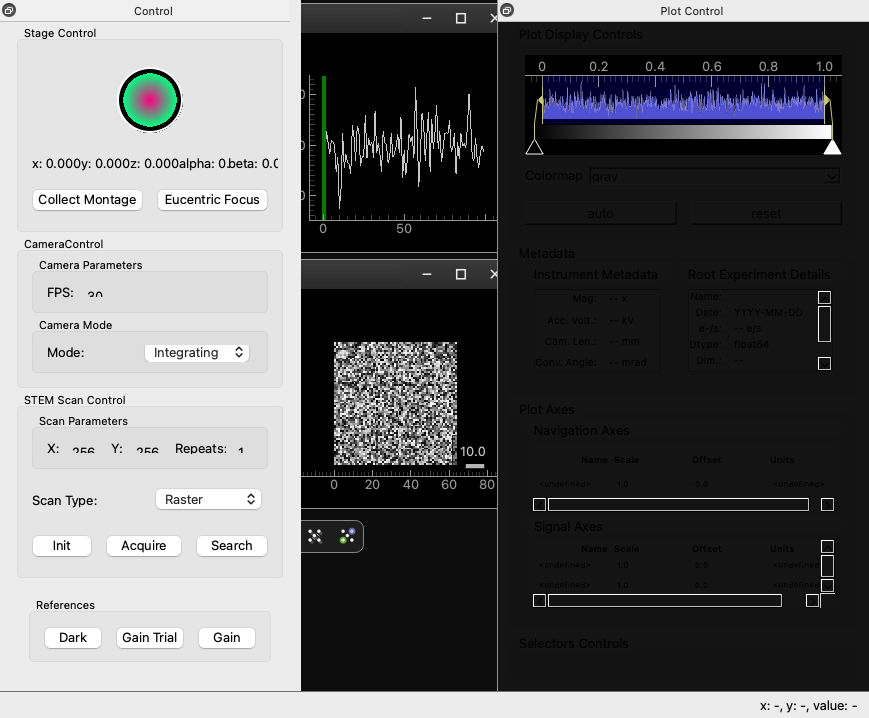
Now we can see the opened data in the SpyDE application!
Emitting Future, finalize-hlgfinalizecompute-57bfd481b23f4c97bf019e580065ce04 for plot: <spyde.drawing.plots.plot.Plot(0x16260b040, parent=0x162855770, pos=12,12, flags=(ItemUsesExtendedStyleOption|ItemSendsGeometryChanges)) at 0x161600b00>
Transferred Future over TCP in 5.17 ms
Updating 1D plot with axis: [ 0.  1.  2.  3.  4.  5.  6.  7.  8.  9. 10. 11. 12. 13. 14. 15. 16. 17.
 18. 19. 20. 21. 22. 23. 24. 25. 26. 27. 28. 29. 30. 31. 32. 33. 34. 35.
 36. 37. 38. 39. 40. 41. 42. 43. 44. 45. 46. 47. 48. 49. 50. 51. 52. 53.
 54. 55. 56. 57. 58. 59. 60. 61. 62. 63. 64. 65. 66. 67. 68. 69. 70. 71.
 72. 73. 74. 75. 76. 77. 78. 79. 80. 81. 82. 83. 84. 85. 86. 87. 88. 89.
 90. 91. 92. 93. 94. 95. 96. 97. 98. 99.]
Data shape: [2025.49456599 2055.84666637 2032.2825547  2069.65464866 2063.80027351
 2010.26051022 2055.55155921 2054.5335315  2046.70470849 2039.9716076
 2104.84022005 2007.05974775 2025.27757273 2062.67743634 2080.95703293
 2064.10057735 2046.05007304 2030.50678673 2056.03080015 2046.73966589
 2057.21784926 2039.88035033 2045.02958519 2055.74588503 2038.10241502
 2050.96010294 2018.41683262 2068.48232553 2031.15506096 2055.32980765
 2050.49012217 2026.37055317 2071.61597197 2073.62940071 2051.26288095
 2061.24495176 2063.41121888 2069.86471454 2003.25701807 2088.38959761
 2066.18971397 2054.15755211 2060.60083468 2053.83570148 2051.61821685
 2074.11445244 2011.62993986 2058.56242382 2051.00021848 2059.05835022
 2073.20158275 2029.19933689 2035.28796172 2023.81480193 2026.02721633
 2052.5434833  2062.40574056 2052.66044755 2054.7932523  2026.63960378
 2072.10451957 2038.51021135 2059.31233712 2030.14021534 2062.74599291
 2031.44620107 2069.82430627 2076.05460671 2050.36600042 2085.34268191
 2049.041041   2054.44964847 2096.32980648 2057.92515168 2090.25365875
 2008.41838493 2036.05634452 2026.94933789 2052.11450547 2026.81368014
 2032.26736321 2043.8176501  2041.60308257 2069.45300971 2069.78734131
 2020.05620923 2036.84820879 2058.86632768 2036.92567443 2051.56252415
 2032.02304334 2052.71659058 2041.29221601 2041.97579168 2102.76294906
 2022.84862742 2038.13441044 2032.70351049 2015.33388679 2038.41775202]
We can now explore and visualize the data using SpyDE’s powerful tools and features!
Shutting down Dask cluster and client...
Shutting down Dask cluster and client...
sphinx_gallery_thumbnail_number = 2
Total running time of the script: (0 minutes 6.616 seconds)